





Visual line planning. From targets to products.
Build the line against commercial targets, evaluate the assortment together, and carry product decisions into regional adoption and sell-in.


A visual line plan should do more than display products.
Connect commercial targets, product choices, creative work, and market feedback in one live product line.
Build, evaluate, and refine the line.
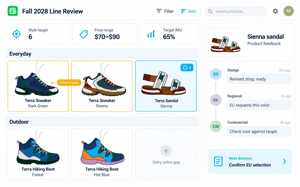
Build the line against the plan
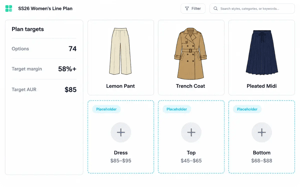
Bring commercial targets and product choices into the same workspace. Track counts, price points, and margin goals as the line takes shape.
- Set the targets Define category structure, option counts, and margin goals.
- Compare the assortment Review assortment totals against the plan.
- Evaluate changes Assess additions, drops, and price changes together.
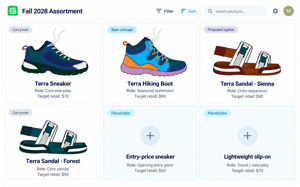
Start before every product exists
Use placeholders to define what the line needs before every design is complete. Give new concepts a clear role alongside existing products.
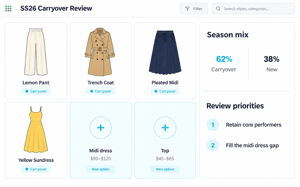
- Reserve space in the line Plan for new concepts alongside carryover products.
- Define what belongs Set category, target price, and key attributes before designs are complete.
- Develop selected concepts Turn chosen placeholders into products as the line takes shape.

Review the assortment as a whole
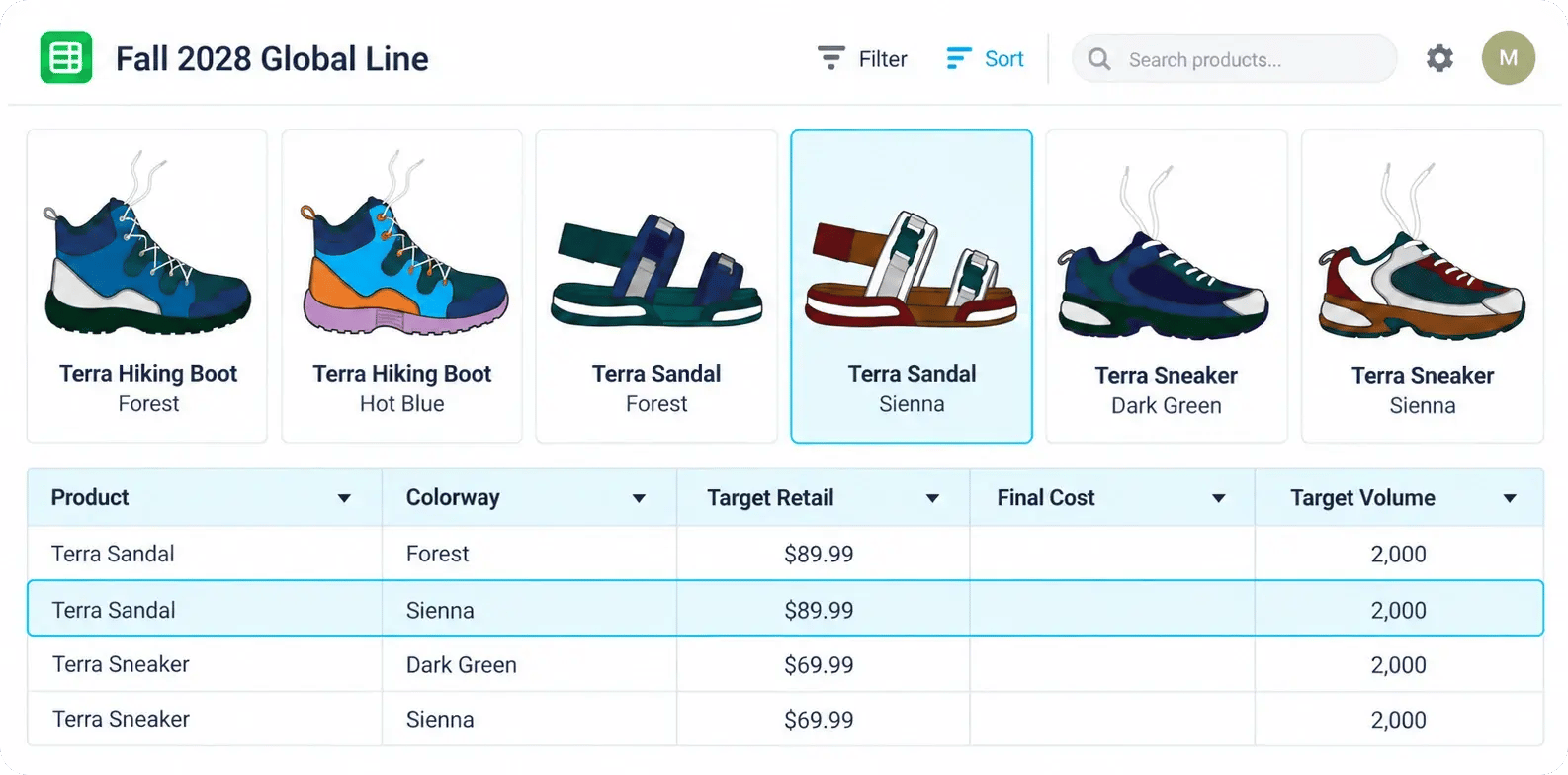
See carryovers, new concepts, and proposed options alongside the attributes that define their role in the line. Evaluate visual balance and commercial fit together.
- Organize the view Group products by category, color, price, or delivery.
- Build connected lineboards Generate visual lineboards from assortment data.
- Review visuals and data together Evaluate product imagery alongside pricing and other commercial attributes.
Spot gaps and overlap earlier
Compare category coverage, price architecture, and similar products before committing more development work. See where the assortment needs another option or fewer competing ones.
- Check coverage Compare the mix across categories and price points.
- Question duplication Review similar products side by side to assess whether each earns its place.
- Assess the assortment mix Check available options by market, channel, and delivery.
Keep decisions connected to the line
Capture feedback, proposed changes, and review history alongside the products they affect. Give the next team the context to understand what changed and why.
- Review proposed changes Keep feedback and suggested attribute changes alongside the product.
- Track product progress Follow products through lifecycle stages as decisions take shape.
- Follow what changed Review change history and alerts for dropped products.
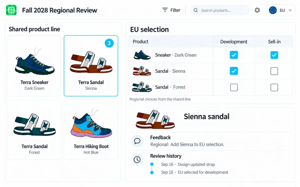
Shape market assortments from one global line
Give regional and commercial teams a shared starting point. Keep local selections connected as products move into development and sell-in.
- Curate local assortments Build selections by region, channel, or account from the shared line.
- Bring market feedback forward Capture adoption feedback while teams are still shaping the line.
- Carry selections into the next stage Use selected assortments for reviews and sell-in, and share product data through configured integrations or exports.

Less preparation. Earlier input.
A more focused line.
One live product line. Three connected ways to work.
Work with targets, placeholders, product data, and assortment rollups. Track the line as products progress through lifecycle stages.
Bring concepts, product visuals, and review feedback into a canvas linked to the assortment.
Present the line, let markets explore their options, and build selected assortments during adoption and sell-in.
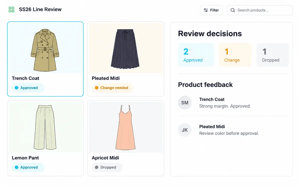
Publish line-plan updates to the linked assortment, keeping connected Board and Showcase views aligned for the next review.
Works alongside the tools you already use.
Bring planning targets, creative inputs, and product data into the line. Share selected updates with the systems that carry the work forward.
Common Questions
Visual line planning software connects product imagery, attributes, and commercial targets in a shared workspace. Teams use it to build the product line, evaluate assortment balance, and decide which products move forward and where they will be offered.
Visual line planning focuses on building and evaluating the overall product line. Assortment planning shapes the mix offered to specific markets, channels, accounts, or stores. VibeIQ connects these activities so local selections remain linked to the global line.
No. VibeIQ works alongside planning, PLM, DAM, and creative tools. It brings targets and product inputs into a shared environment for line decisions, with data exchanged through configured integrations or exports.