Bring your product line into sell-in with less rebuilding
Create digital line sheets and buyer presentations from shared product imagery, commercial details and assortments. Tailor the collection for each account without rebuilding it.

Create digital line sheets from your product assortment
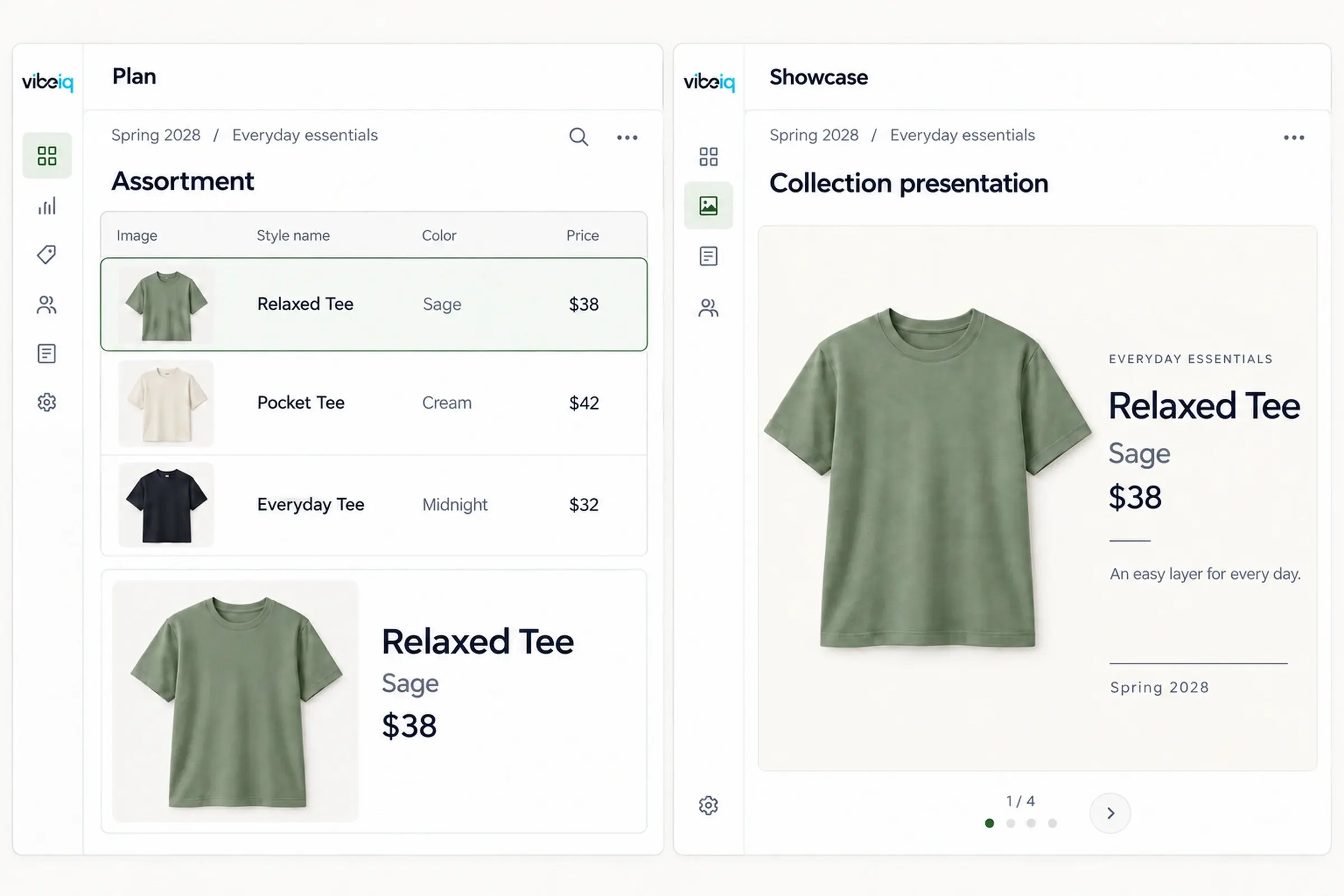
Use the imagery and product details your team already maintains. Choose an assortment, select the fields to show and generate presentation frames from linked product records.
Select the source assortment and relevant fields, such as product imagery, style name, color, category and price.

Group and sort products, apply layout templates and generate line sheet or collection presentation frames for your audience.

Keep digital line sheets current as products change
Showcase links presentations to their source assortment. Review product updates and published additions or drops, then refresh affected frames when needed.


Tailor line sheets for each account, region and channel
Build audience-specific selections from a shared product line. Filter and group products by their attributes, then present the assortment relevant to each buyer or market.
Build regional assortments from shared product records and organize the collection for each market.

Select and organize products for each account’s conversation while keeping the underlying product details connected.

Customer story
From 5 days to 24 hours
Pair collection imagery and team-written product stories with details from linked records. Give buyers the creative direction and commercial information to evaluate the range.

Support sales preparation and buyer presentations
Prepare internal teams and guide external buyers through the collection. Save product selections for follow-up, with order processing handled in your wholesale commerce system.
Connect line planning, assortment creation and sell-in
VibeIQ’s planning, visual collaboration and presentation tools share product and assortment data. Reuse the work behind the line for selling, with information from existing systems supplied through configured integrations or imports.
Common questions
A digital line sheet presents a collection’s product imagery and key commercial details, such as style, color and price. Sales teams and buyers use it to review and compare the range. In VibeIQ, line sheets use linked product records and assortments, allowing teams to reuse the information behind the collection.
Most wholesale apparel brands use two kinds of tools. B2B ordering platforms, such as JOOR, NuORDER and RepSpark, handle order writing and order management with retail accounts. Line presentation tools build digital line sheets and sell-in presentations from the product line itself. VibeIQ is the second kind: it keeps line sheets connected to the assortment your team is building, and many brands use it alongside an ordering platform.
Share a presentation built from the current assortment with registered buyers. Buyers can explore the range and make selections, and those picks return to merchandising as structured input against the line instead of notes in a separate file. Selections are not orders, so order entry stays in your ordering system.
Yes. Product information can come from an existing system through a configured integration or import. The source, field ownership and update process are established for your implementation; you do not have to originate every product in VibeIQ.
No. Linked product fields, assortment membership and presentation layouts have different update behavior. Publishing, refreshing or reviewing changes may be required. Exported files do not update after download.
Yes. External sharing uses configured permissions and requires recipients to register. The access and product information available to each audience should be set up for the intended selling workflow.
VibeIQ supports PDF, PowerPoint and Excel exports, with format and layout limits. For example, Grid and Collection frames are not supported in PDF export. Exported files reflect the information at export time.
VibeIQ supports product presentation, exploration and assortment selection. Those selections are not completed orders. Keep ordering, inventory commitments and payments in the systems that manage those transactions.
Look for connected product imagery and details, account-specific assortments, reusable presentation layouts and controlled buyer access. Check how product updates and assortment changes reach the presentation, what buyers can save, and which export formats and layouts are supported. If you need order entry, inventory commitments or payments, evaluate those capabilities separately.
Start with a shared product line and build account-specific assortments from its product records. Reuse imagery, attributes and presentation layouts, then tailor the selection and collection story. Updates to linked information can carry into presentations, with publication and refresh steps where required. See how a $4B accessories brand improved wholesale sell-in.
A line sheet focuses on the products and details needed to evaluate a range. A sell-in presentation adds the collection story, product highlights and context for a particular account or market. VibeIQ supports both using shared product and assortment information.
See how your line sheets handle a last-minute change
Walk through how your team prepares a collection, tailors it for an account and handles a late update. See where VibeIQ can reduce repeated preparation.