
The best AI fashion design tools for brand teams do more than generate images. They let designers explore concepts, colorways and materials quickly, keep the results with the right product, and put them in front of merchandising while decisions are still open.
Generating a concept has become easy. Nearly every tool on this list can turn a sketch into a photorealistic render or recolor a garment in seconds. The harder part, for a brand with a seasonal line, is what happens next: which of those concepts belongs in the line, who decides, and how the chosen direction carries into development. Choose late, and a concept made in seconds can cost weeks as a redecision: a decision reopened after teams have already acted on it.
This guide explains the difference between tools built for individual creators and tools built for brand teams, compares nine options and lists the questions worth asking before you choose.
Last updated: November 2026
Tools for individual creators vs tools for brand teams
- Creator-focused tools are built to produce great visuals fast: sketch to render, print generation, on-model imagery, product photography and video. They are often excellent for concepting and marketing content, and the output is usually an image file.
- Brand-team tools add the context around those visuals: which product a concept belongs to, how it compares with the rest of the line, who reviewed it and where it goes next. They are built for designers, merchants and product developers working on the same season.
Our view: brand teams need the second kind. A specialist generator can still earn its place for particular tasks, but the decision about what makes the line needs one shared place.
9 tools at a glance
Vendor details are taken from each company's own website and announcements in November 2026. Features change often, so confirm current capabilities with each vendor.
The tools in more detail
Adobe Illustrator
Illustrator's Generative Recolor, powered by Adobe Firefly, lets designers explore color palettes and themes on vector artwork using text prompts, without losing the original. It sits inside the tool most fashion designers already use for flats, prints and artwork.
Best for: designers recoloring artwork and prints within their existing creative workflow.
Centric Studio
Centric Studio works inside Centric PLM. Once a style is set up there, teams can turn sketches into photorealistic, editable product visuals, iterate colors, trims, materials and prints, and create on-model and commercial imagery tied to that record.
Best for: brands already running Centric PLM that want AI visuals on styles they've already set up there.
CLO
CLO is 3D garment design software. Its AI Studio helps designers jumpstart concepts, alongside premade pattern blocks and digital samples used for fit validation, 3D assortment review and factory handoff.
Best for: teams that want AI ideation connected to 3D garment development.
Fermat
Fermat describes itself as an AI operating system for fashion and luxury brands. Designers work from mood boards, turn sketches into photorealistic images, explore materials and colorways and fit garments on virtual models. In November 2026 it launched Techpacks, which generates technical flats, measurements, construction details, bills of materials and colorways for factory handoff. Its focus is the path from the designer's sketch to production rather than line planning or merchandising.
Best for: design and digital product creation teams that want to go from sketch to factory-ready specs in one tool.
Raspberry AI
Raspberry AI is a generative design and visual content tool for fashion and home brands. Designers can pull in trend references, build moodboards, explore fabrics from a brand's own libraries, turn sketches into renders, iterate designs, generate technical designs and visualize products on-model. It also produces lookbook, wholesale and campaign imagery. It doesn't hold the line plan, targets or merchandising decisions about which products make the line.
Best for: design and creative teams that want fast concept visuals and selling and campaign imagery from one tool.
Style3D AI
Style3D AI generates fashion design inspiration and renders, and sits within Style3D's wider software for 3D development, fabric digitization, pattern CAD and shared 3D asset management.
Best for: brands and manufacturers combining AI concepting with 3D development.
The New Black
The New Black offers AI fashion design workflows, including sketch to design, fabric changes and image to flat sketch, alongside AI models, virtual try-on and e-commerce photos and video. It also lists AI tech packs, team projects, Shopify and social integrations and API access.
Best for: brands that want design and online selling visuals from the same tool.
VibeIQ
VibeIQ is a product line creation platform with AI product design built in. With Image Gen, designers generate concepts from sketches, product images, references and colors, explore colorways, materials, graphics and prints, create on-model and lifestyle visuals, and refine results in Design Studio. Selected concepts are added to product cards and reviewed on visual boards alongside the rest of the line, where the team decides what moves forward.
All of this happens before PLM. Concepts, boards, line reviews and the history of every decision live in VibeIQ from the first brief or placeholder, before a style exists as a PLM record. Only the products the team approves move into PLM for development.
Design teams at brands including Agron, an official adidas licensee, and Xero Shoes create in VibeIQ alongside merchandising. As Xero Shoes design director Kristina Funck put it: “It is never left to the designer to even change a Pantone number, because we’re using the chips directly out of Vibe.”
Best for: brand teams that want AI design connected to the line merchandising is building, well before PLM.
Vizcom
Vizcom is an AI design platform built for product designers. It turns sketches into renders and 3D models that can be rotated and refined, with live rendering, image editing, animation and enhancement tools. It lists solutions for industrial design, footwear, apparel, automotive and gaming, and team roles for admins, editors and viewers.
Best for: industrial and footwear design teams that want fast sketch-to-render and 3D visualization.
What to compare
What makes VibeIQ different
VibeIQ covers the core design jobs the tools above are known for, from sketch to render and colorways to on-model visuals. Then it does what they don't: it puts every concept in front of merchandising, on the live line, measured against the plan.
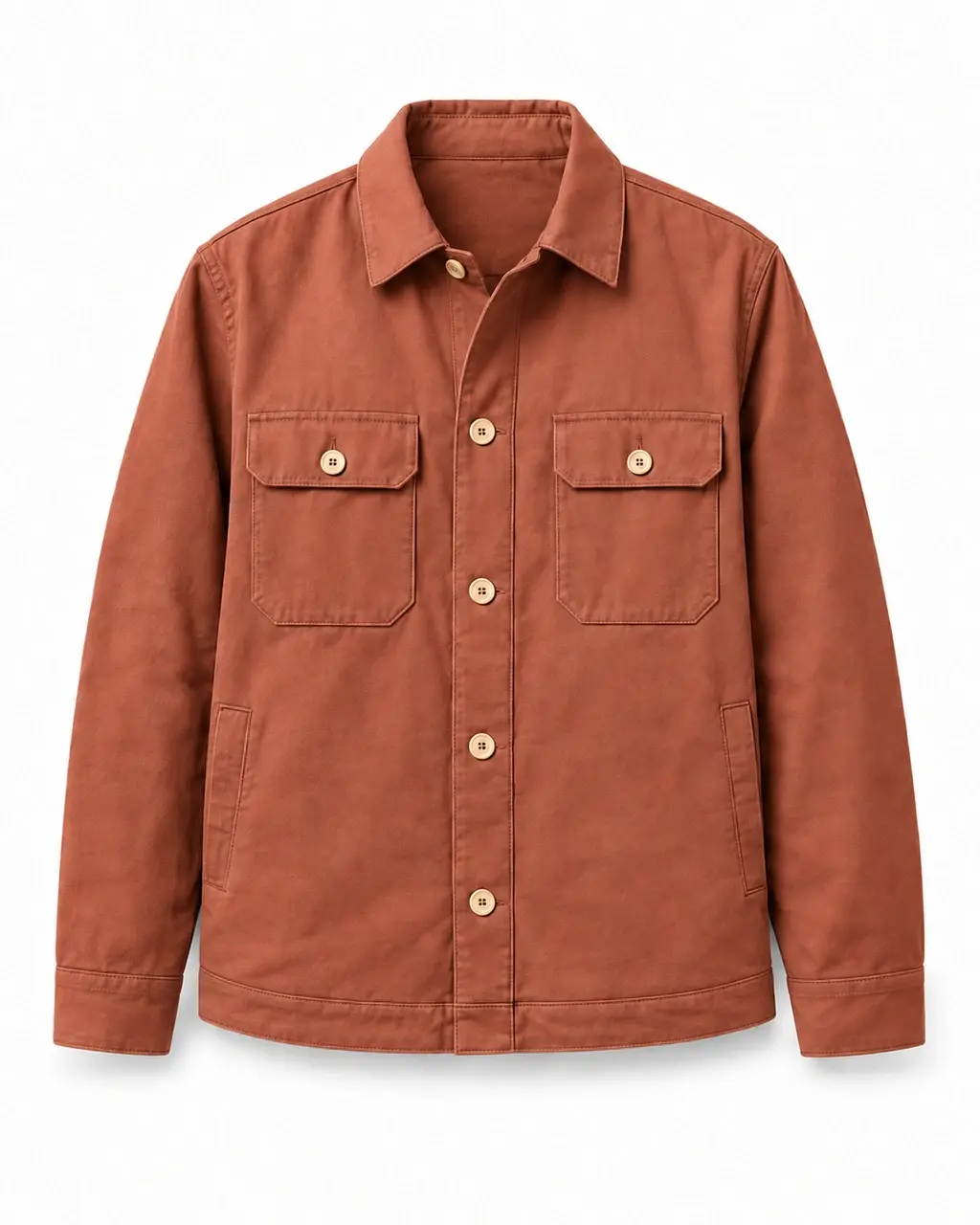
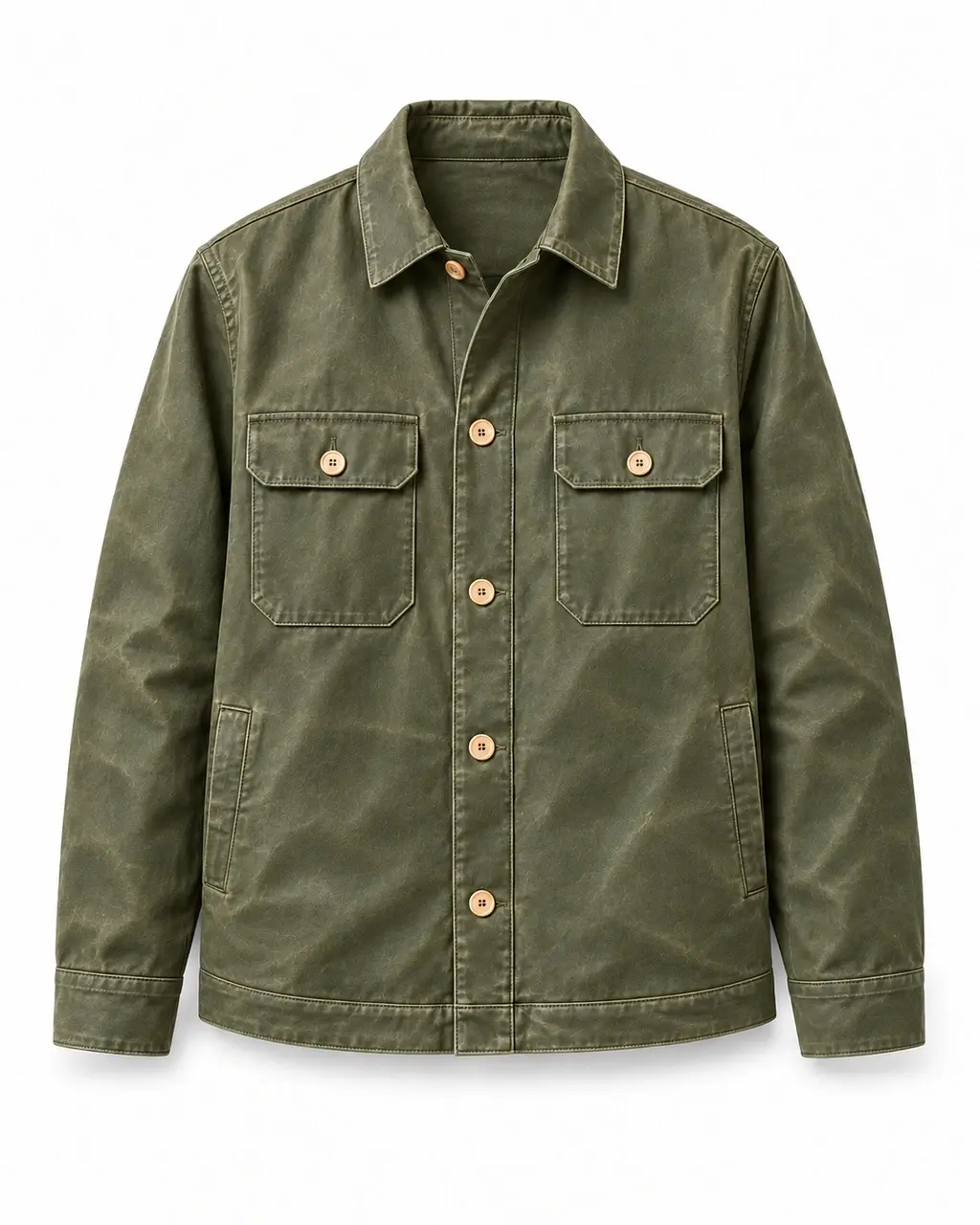
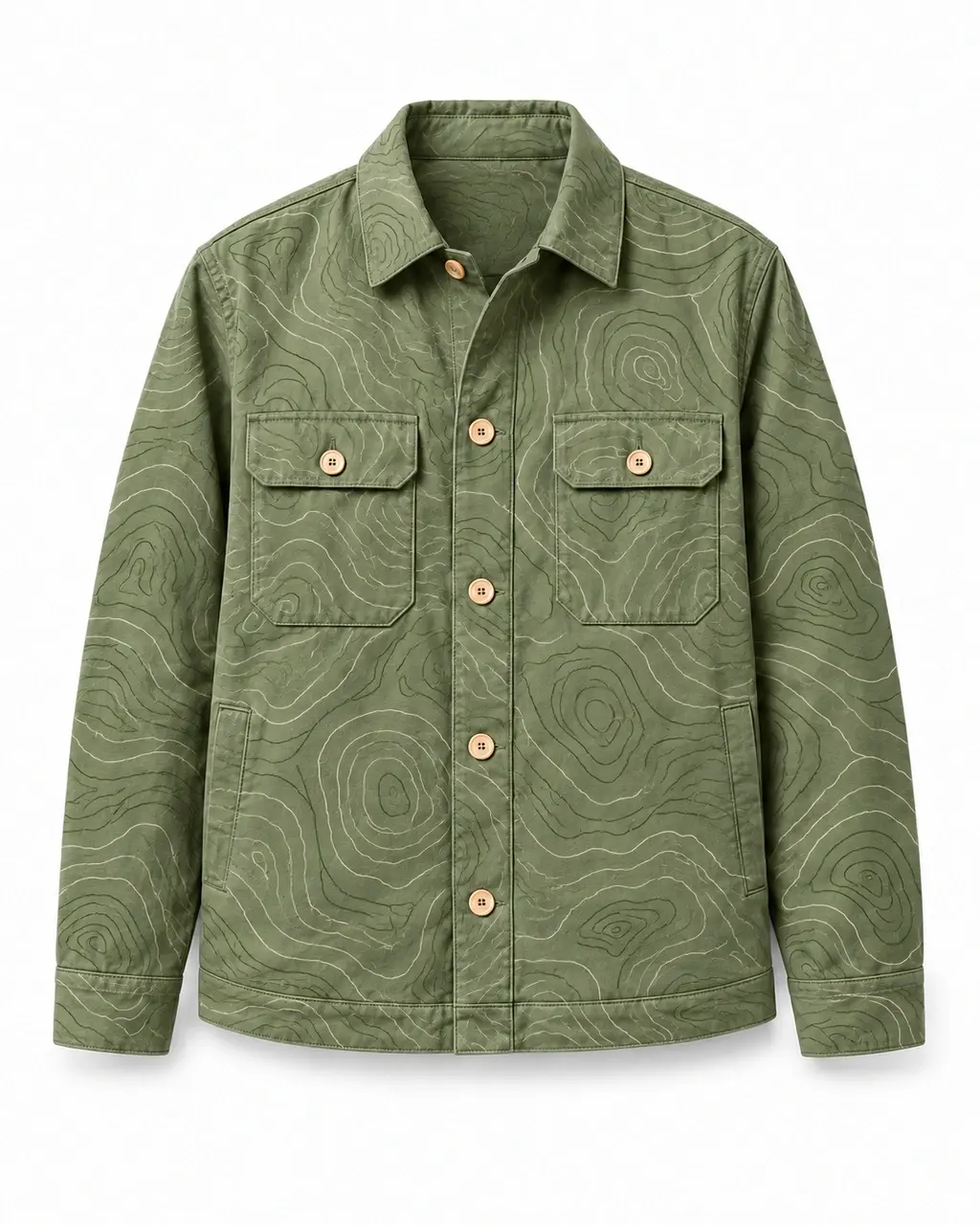
- Strong design tools. Concept generation from sketches and images, colorway, material, graphic and print variations, on-model and lifestyle visuals, and edit and finish in Design Studio.
- It starts with the line, not a blank prompt. Designers can work from a brief, a sketch or an open need in the line plan, before a product exists in PLM.
- Merchandising sees it as it happens. Selected concepts sit on product cards next to the rest of the line, so merchants can compare, comment and decide while the direction is still open, and the line is measured against the plan's targets as concepts are added.
- Every iteration stays traceable. Teams can revisit the prompts, references and colors behind any image they kept, and build on selected results instead of starting over.
- One shared data model. The same products carry into line reviews, regional assortments, sell-in and the handoff to PLM. That's what makes VibeIQ the only AI-native platform purpose-built to connect product creation and merchandising around one evolving product line.
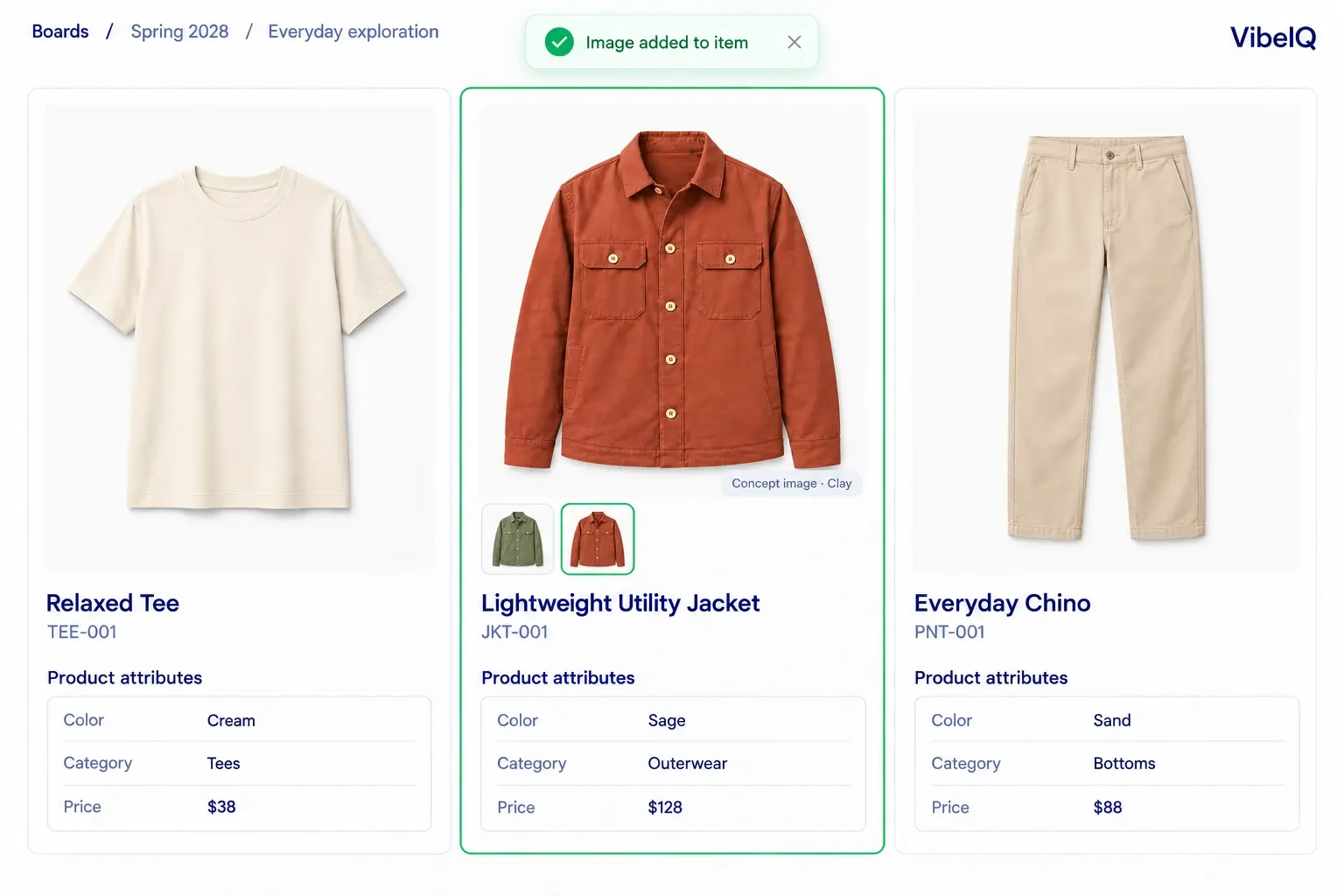
Designers keep Illustrator, Photoshop and 3D tools for precision work and finishing, and generated images don't change product details on their own. The team decides what moves forward. Read more on why more concepts won't fix assortment planning and how design collaboration platforms compare.
“They’re able to focus on the actual design work, the conversation around that work, and how they want to convey the idea.”
VP of Design, Agron, official licensee for adidas
New Balance returned 12 weeks per designer, per year, with less admin and fewer handoffs.
Frequently asked questions
What is the best AI fashion design tool for brand teams?
Start with what happens after the image is made. If the output is campaign, e-commerce or concept imagery for one designer, a creator-focused tool may be all you need. If the concept has to earn a place in a seasonal line, choose a tool where merchants can review it against the rest of the line and the plan's targets before anything moves to development. That's the job VibeIQ is built for.
Will AI replace fashion designers?
No. AI speeds up exploration and visualization, but designers still set the direction, judge the results and refine the details. The best tools give designers more options to work with, not fewer decisions to make.
Can AI-generated concepts replace physical samples?
They can reduce them. Realistic visuals help teams review ideas and cut weak options before sampling, but fit, materials and construction still need to be confirmed in development.
What should we ask about data and IP?
Ask whether your images and prompts are used to train models, how long they are kept, who can access generation history, and what rights you have to the output. Get the answers in writing as part of your evaluation.
Can we use a specialist AI tool and VibeIQ together?
Yes. Some teams use a specialist tool for particular tasks and bring selected work into VibeIQ to review against the line alongside concepts created there.
Bring one design task to the conversation.
Tell us what you want to explore and what a usable result needs to look like. We'll walk through it in VibeIQ, with the line in view.