
Visual line planning software lets merchandising, design and planning teams build and review a seasonal product line with imagery and product data together. When you compare tools, three things matter most: a live link between visuals and product data, the line measured against plan targets, and shared decisions before products move into PLM.
The teams we talk to usually start looking for one reason: the current process has stopped scaling. The line lives in a spreadsheet, the review lives in a deck, and someone spends days before every meeting rebuilding one from the other. By the time the deck is presented, the line has already changed.
“Every single line review ends up with a conversation of, well, why does your Excel say this? And my visual line plan says that, instead of making decisions.”
Senior collection merchandiser at a premium skiwear brand
This guide explains what visual line planning software does, the five kinds of tools teams use today, the ten criteria worth comparing and how to run an evaluation that tells you something real.
Last updated: November 2026
What visual line planning software does (and doesn't do)
Visual line planning software is where teams build the actual line: which styles and colorways are in, how the mix looks by category, price and delivery, and where the gaps and overlaps are. It keeps imagery, prices and attributes together, so the line can be reviewed as a set rather than one product at a time. Our guide to what visual line planning is covers the basics.
It is not merchandise financial planning. Sales, margin, inventory and open-to-buy targets usually come from a planning tool. It is also not PLM. Specs, bills of materials, costing and supplier workflows stay in your development system. Good visual line planning software works between the two.
Signs you've outgrown spreadsheets and slides
- You rebuild the deck for every line review. Images get pasted in by hand, and prices and counts are checked against the spreadsheet the night before.
- Versions are out of sync. Design, merchandising and sales are each working from a slightly different copy of the line.
- Regional selections live in separate files. When the global line changes, nobody is sure which regional versions picked up the change.
- Late changes don't reach everyone. A style is dropped in the review, but it still appears in a line sheet or a planning file weeks later.
- Problems show up after sampling. Over-assortment and near-duplicates only become obvious once samples are ordered.
“It is our source of truth for the company… We had a ton of different Google Sheets, and then pulled them all into VibeIQ.”
Rachel Sarduy, Senior Merchandising Manager, Rifle Paper Co.
The five kinds of tools teams use
For a vendor-by-vendor view, see our comparison of the best apparel assortment planning software.
What to compare: 10 criteria
How it should fit with your planning tool and PLM
A simple rule helps: each system owns one decision. Planning owns how much to buy. Visual line planning owns which products make the line, and where. PLM owns how each product is made.
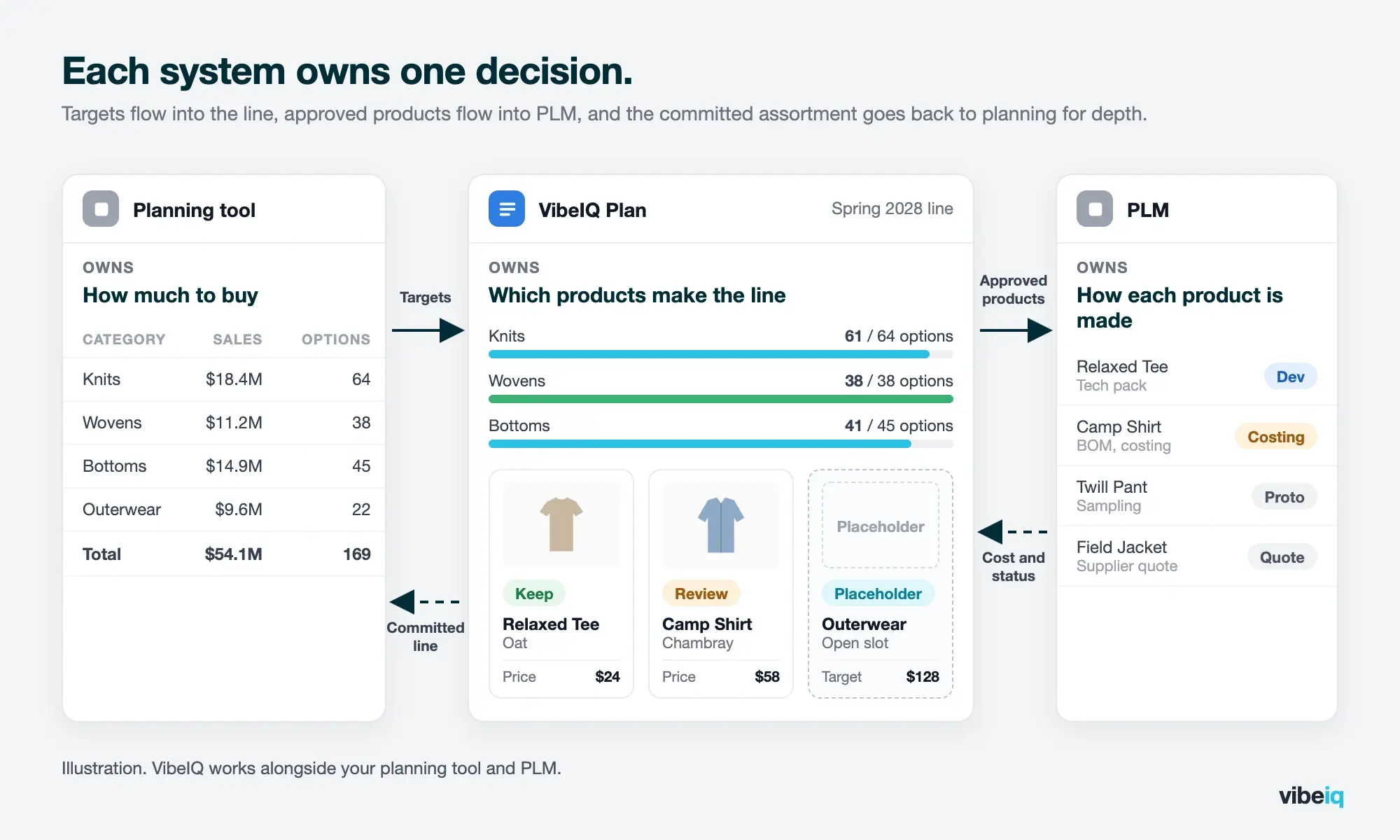
In practice, targets flow from planning into the line, approved products and colorways flow into PLM, and costing and development status can flow back so merchants can check margin without leaving the line. The committed assortment then returns to planning for depth and sizing. Read more on where VibeIQ fits alongside PLM, ERP and planning and using VibeIQ and your planning tool together.
How to run an evaluation
This is the evaluation we suggest to every team we work with, because a broad feature demo rarely shows what happens when the line changes.
- Pick one category and one recurring line review. A real, bounded workflow tells you more than a broad feature demo.
- Measure the current effort. Time how long it takes to prepare the review, and count how many files and versions are involved.
- Bring design and a region into the trial. If only merchandising uses the tool, you won't learn whether it works across teams.
- Test a late change. Drop a style after the review and see what updates, what needs a refresh and what still has to be fixed by hand.
- Check adoption, not just features. Ask who actually used the tool in the pilot, and whether they would choose to keep using it.
“Ask every question. Poke at every hole… It could be transformative to your business.”
Jennifer Bonanni, Digital Product Manager, New Balance
Where VibeIQ fits
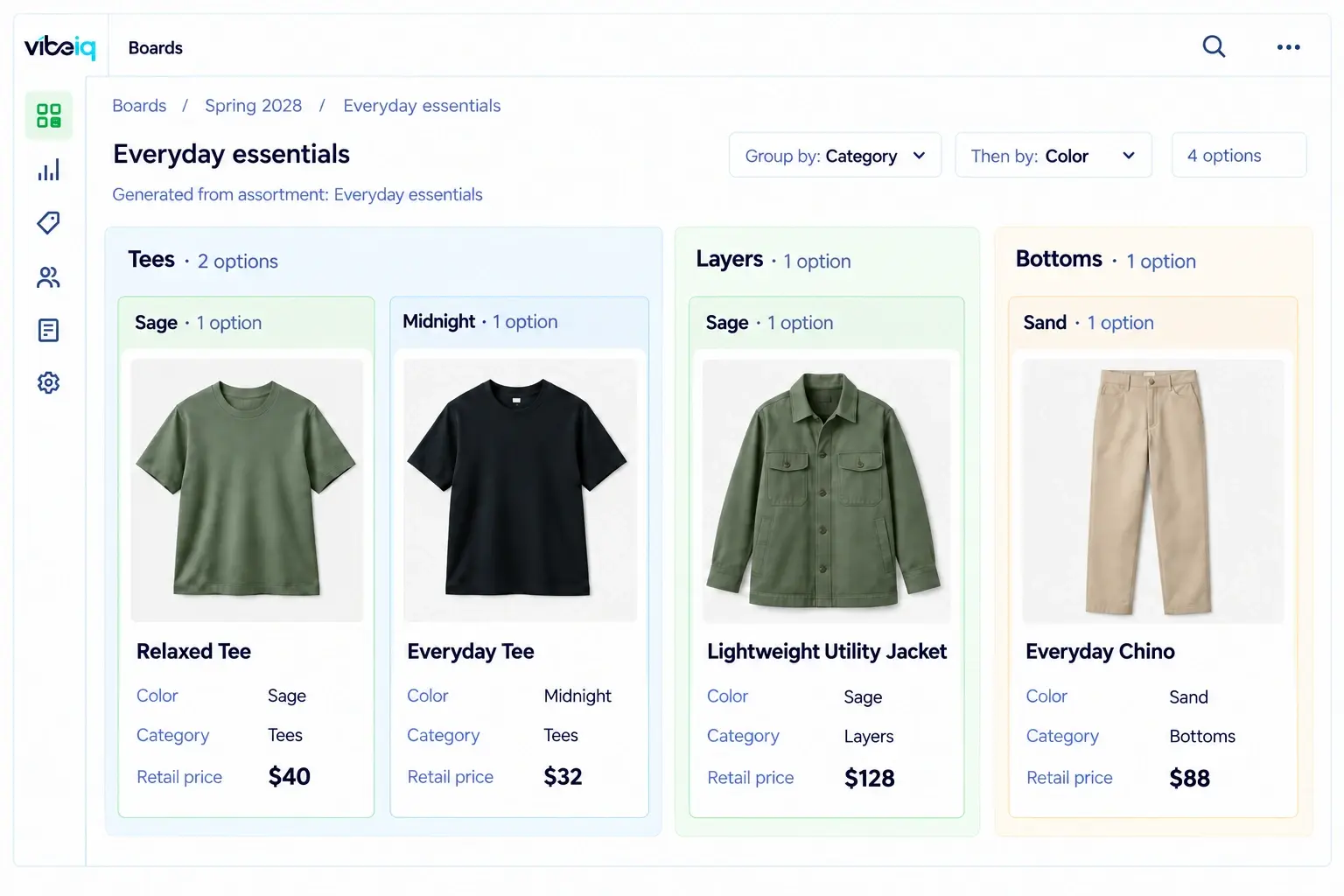
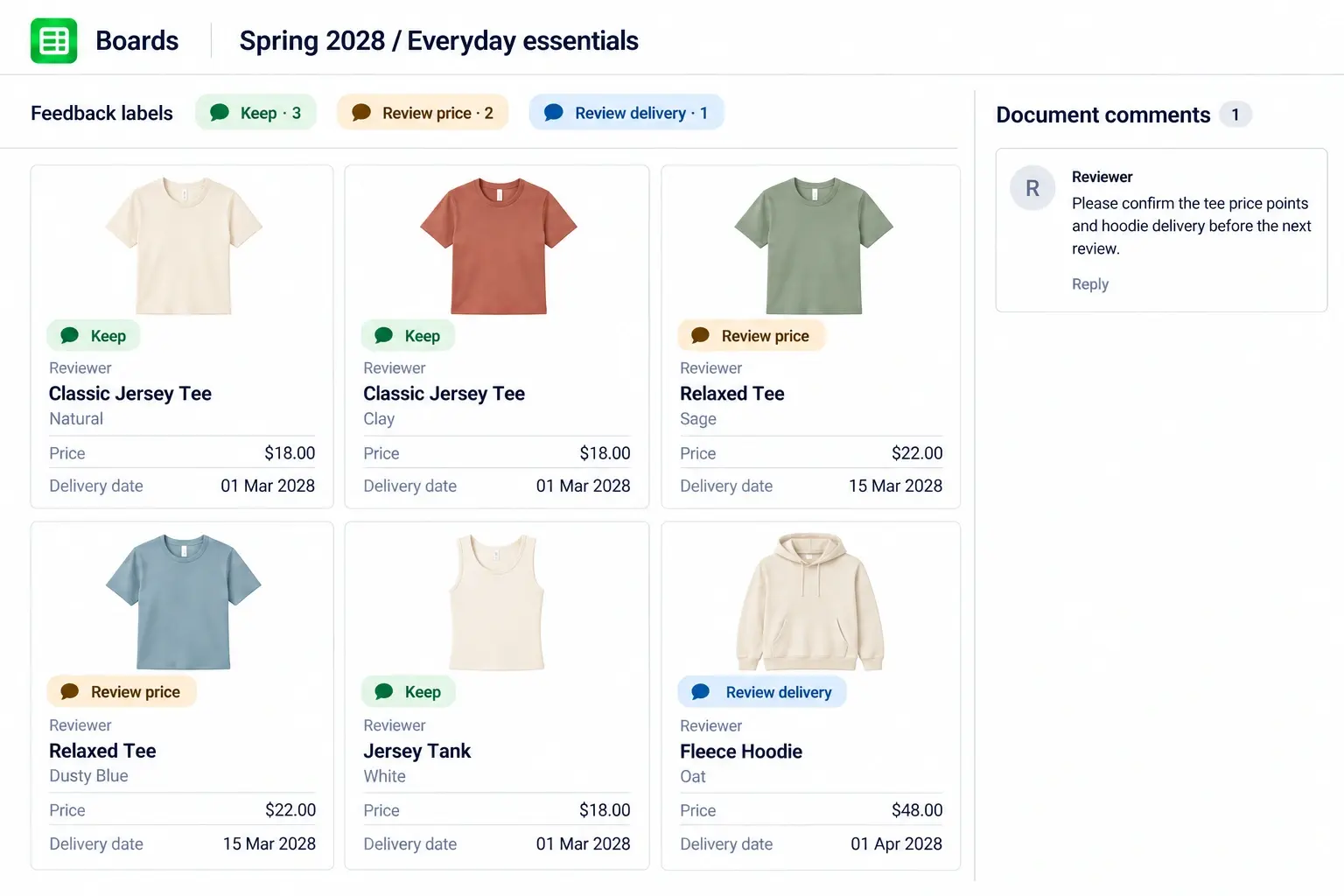
VibeIQ is a visual line planning and product line creation platform. Merchandising and design build the seasonal line together, starting with carryover products and placeholders for new ideas, then develop selected placeholders into products and colorways. Teams compare the line by category, color, price or delivery, run line reviews on the live line, build regional and channel assortments from a shared global line, and carry the same products into sell-in.
All of this happens before PLM. Visual boards, line reviews and the history of every decision live in VibeIQ from the first placeholder, before a style exists as a PLM record. Only the products the team approves move into PLM for development.
VibeIQ runs on one shared product data model, which makes it the only AI-native platform purpose-built to connect product creation and merchandising around one evolving product line, measured against the plan's targets.
What it doesn't replace: your financial planning tool keeps budgets, forecasts and open-to-buy, your PLM keeps technical specs and development, and designers keep their creative tools.
At Kizik, VP of Merchandising Heather Kananowicz used to spend about a week rebuilding the line plan before each milestone review. Now she presents from the live line and makes decisions in the meeting, dropping products, changing prices and moving introduction dates. In her words: “Something that probably would have taken me a week to do, now probably takes me a day or less.”
Vera Bradley used earlier visibility of its full assortment to cut 10% of seasonal SKUs before sampling.
Frequently asked questions
Is visual line planning the same as assortment planning?
They overlap. Line planning defines the overall product offer for the season. Assortment planning selects the mix for a particular region, channel or account, and may include quantities. In VibeIQ, teams handle both in the same workflow.
Do we need to replace PLM?
No. Visual line planning works before and alongside PLM. Approved products move into PLM for development, and PLM stays the system of record for specs, costing and suppliers.
Can it work with Excel-based plans?
Yes. Teams can start by loading targets and product data from spreadsheets, then add integrations with planning and PLM over time.
How long does implementation take?
Starting with one category and one line review is the fastest route, and integrations can follow. New Balance went from a focused pilot to a working VibeIQ application in as little as three months. Vera Bradley launched its visual assortment workflow in about a month, and Kizik was live in about two.
Is this the same as visual merchandising software?
No. Visual merchandising software plans store displays and in-store presentation. Visual line planning is about building the product line before it goes into development and sell-in.
Who should be involved in choosing a tool?
Merchandising usually leads, with design, planning and IT involved early. Regional or wholesale teams should test it too if they will build assortments or presentations from the line.
Put your next line review to the test.
Bring one category and your current line review files. We'll show how the same review would run on a live line, including a late change.